You have a massive Excel file—maybe it's customer data, sales records, survey responses. Hundreds of thousands of rows. You know there are insights buried in there, but extracting them means hours of pivot tables, VLOOKUP formulas, conditional formatting, maybe some VBA if you're brave. It's tedious work, and everyone thought AI would fix this.
So Microsoft added Copilot to Excel. Other tools emerged promising "AI-powered spreadsheet analysis." The pitch is seductive: keep using Excel, but now with AI superpowers. Ask questions in plain English, get instant answers, auto-generate formulas. Problem solved, right?
Not quite. Because the real issue isn't that Excel is hard to use. It's that Excel's entire architecture—the grid, the formulas, the interface—was never designed for the kind of scale and complexity we're dealing with today. Adding AI on top doesn't change that. It's like giving someone a faster horse when what they actually need is a car.
The Grid Was Never Meant for This
Excel's grid interface is brilliant for certain things. Small datasets, quick calculations, simple budgets, tracking expenses. But modern data analysis? That's a different beast entirely. You're not just adding up columns anymore. You're joining multiple data sources, running complex aggregations, building statistical models, handling millions of rows.
The grid becomes a prison. Every insight requires manually setting up formulas, dragging them across cells, creating helper columns you don't actually care about but need for intermediate calculations. Want to change your analysis? Start over. Different stakeholder wants different cuts of the data? Build a new sheet. Found an error in your source data? Hope you documented which cells need updating.
None of this is Excel's fault. It was built in 1985 when personal computers had 512KB of RAM. The grid metaphor made perfect sense then. But we're still using that same mental model forty years later, even though our needs have completely outgrown it.
What AI Actually Changes (And What It Doesn't)
Excel Copilot and similar tools try to smooth over these rough edges. They'll write formulas for you, explain what complex expressions mean, suggest next steps in your analysis. It's genuinely helpful. But it doesn't address the fundamental constraint: you're still working within Excel's architecture.
The AI has to navigate the same grid you do. It references cells by letter-number combinations. It builds formulas using Excel's syntax. It creates pivot tables through the same nested menus. All those layers of indirection—the ribbons, the dialog boxes, the chart wizards—they're still there. The AI just helps you click through them faster.
And here's the killer: Excel still hits the same performance walls. Load a file with 500,000 rows and watch everything slow to a crawl. Formulas recalculate lazily. Filters take forever. Opening the file becomes a coffee break. The AI doesn't fix this because it can't—it's constrained by Excel's engine, which was never built for this scale.
The Real Power of LLMs (That Excel Can't Access)
Here's what makes this frustrating: we know what LLMs are actually good at. They're exceptional at writing code. Not just Python or JavaScript—SQL, bash scripts, data transformation pipelines, anything with a formal syntax. Developers figured this out immediately and integrated AI into their workflows. It's not a novelty for them anymore; it's essential.
But Excel locks the AI into a non-code interface. Instead of letting the LLM write a clean SQL query that processes your data in milliseconds, it has to generate a nested IF-VLOOKUP-INDEX-MATCH monstrosity that references cells across three sheets. Instead of a simple Python script that reshapes your data, it builds a pivot table through menus.
This matters because code is precise. When an LLM writes SQL, you can read that query. You understand exactly what it's doing—which tables it's pulling from, what filters it's applying, how it's aggregating results. You can verify it, modify it, trust it. When an LLM generates an Excel formula hidden in cell Q47 that references a pivot table on Sheet3, good luck understanding what's actually happening.
Database vs Spreadsheet: The Architecture Gap
Most Excel files should probably be databases. Not because databases are inherently better, but because the problems people are trying to solve in Excel are database problems. Multiple related tables. Complex queries across datasets. Aggregations and transformations. Historical tracking.
Excel handles none of this elegantly. You end up with sheets named "Data," "Data_v2," "Data_final," "Data_final_ACTUAL." Relationships between tables are manual formulas you have to maintain. Change the structure and you break everything downstream.
A database with SQL gives you the right abstraction. Tables have schemas. Relationships are explicit. Queries are declarative—you describe what you want, not how to compute it cell by cell. And this is where AI shines. An LLM can look at your database schema, understand your tables and their relationships, and write SQL that answers your questions directly.
No helper columns. No copying formulas down. No "did I include the right range?" anxiety. Just: here's your data, here's your question, here's the query, here's your answer. And because it's SQL running on a real database engine, it handles scale Excel can only dream of. Whether you're analyzing Google BigQuery data, MySQL databases, or Snowflake warehouses, this architecture is fundamentally better suited for large-scale analysis.
The Illusion of Simplicity
Excel feels simpler than databases and SQL. It's visual. You can see your data right there in the grid. You don't need to learn command-line tools or write code. This is Excel's superpower for casual users, and there's real value in that.
But for serious analysis, this "simplicity" is actually complexity in disguise. You're managing that complexity manually—tracking which cells contain formulas, remembering which sheets have the latest data, documenting your workflow in comments or separate docs. The cognitive load is massive; it just doesn't feel like technical complexity because you're clicking instead of coding.
Code, ironically, can be simpler. A SQL query is self-documenting. You can read it and understand the logic. A Python script shows its steps explicitly. Version control is built into the development workflow. When something breaks, you can trace exactly where.
With Excel, you're spelunking through cells trying to reconstruct what past-you was thinking when they built this elaborate formula structure. AI can help explain it, but it doesn't change the fundamental problem that your analysis logic is scattered across a visual interface that wasn't designed for this kind of work.
What Domain Expertise Actually Requires
Different industries analyze data in wildly different ways. Finance people need specific calculations—EBITDA, debt covenants, cash flow waterfalls. Marketing teams want cohort analysis, attribution modeling, customer lifetime value. Operations needs throughput metrics, bottleneck identification, capacity planning.
These aren't just different formulas. They're different ways of thinking about data, different questions to ask, different patterns to look for. A generic AI tool—even one integrated into Excel—struggles with this specificity. It knows how to use SUMIF, but does it know when you should be calculating contribution margin versus gross margin? Does it understand why a finance team cares about certain ratios?
This is where collaboration matters more than automation. The AI shouldn't try to know your industry better than you do. It should handle the mechanical work—writing queries, processing data, generating visualizations—while you provide the domain knowledge that gives those mechanics meaning. You decide what questions matter. The AI executes the analysis. You interpret the results. The AI suggests next steps.
This loop only works when the AI operates in a space where it can be explicit and transparent. Code provides that. SQL queries you can review. Python scripts you can modify. Excel formulas buried in a grid don't provide the same transparency, especially as analyses grow complex.
Scale Changes Everything
Excel maxes out around a million rows, but even before that, it becomes painful. A few hundred thousand rows and you're waiting for everything—opening files, applying filters, recalculating formulas. Forget about doing anything in real-time.
Most people work around this by using subsets of their data. Sample 10,000 rows and analyze those. Or pre-aggregate in another tool and import summaries. These workarounds hide the real problem: Excel isn't a data analysis platform for large datasets. It's a spreadsheet program being forced to do something it wasn't built for.
When you move to a proper analytical setup—data in a database, AI generating SQL—scale stops being a constraint. Millions of rows? Billions? The database doesn't care. Queries that would freeze Excel run in seconds. You can analyze your complete data, not samples or summaries.
And here's what that enables: you can explore. You can ask follow-up questions without worrying about performance. The AI generates a query, it runs fast, you see results, you ask the next question. The back-and-forth is fluid. With Excel, every question requires careful setup and then waiting, which kills the exploratory flow.
Rethinking the Workflow
At Anomaly AI, we started with a simple question: if you were building a data analysis tool today, from scratch, knowing what we know about AI and modern data infrastructure, what would it look like?
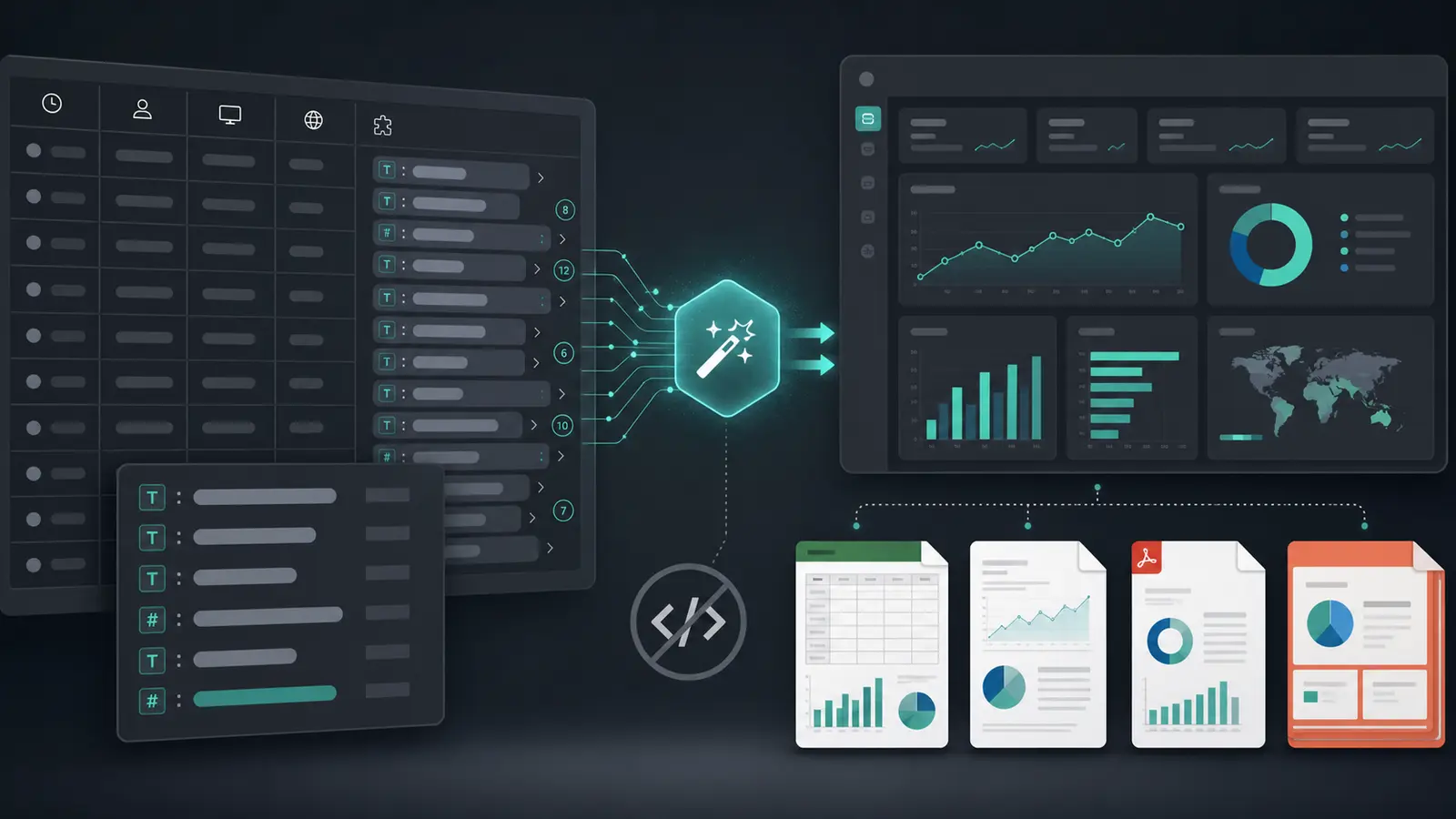
It wouldn't be a spreadsheet. Not because spreadsheets are bad, but because the problems people are trying to solve have outgrown that interface. It would probably look like: natural language questions that turn into SQL or Python. Code you can review and modify. Results that update automatically. Visualizations generated programmatically. Everything backed by a real database that handles scale properly.
Excel files would still exist—they're how data gets shared, how people export from other systems. But they'd be inputs, not the environment where analysis happens. You'd upload a file, it would load into a proper analytical engine, and from there you'd work in a more powerful paradigm.
The AI becomes genuinely useful in this setup because it's not fighting against architectural constraints. It writes code, which it's good at. That code runs on infrastructure built for data work. You review the code for correctness. The system handles scale. The workflow is transparent and auditable. Nothing is hidden in formulas you can't easily inspect.
What This Means for Excel Users
None of this means Excel is obsolete. For quick calculations, small datasets, sharing numbers with colleagues, Excel remains unbeatable. But if you're doing serious data analysis—especially with large datasets—it's worth questioning whether Excel is the right tool just because it's familiar.
AI doesn't fix Excel's limitations. It makes some things easier, but it doesn't change the fundamental architecture. If you want AI to really transform how you work with data, you need to let it work the way it works best: generating code, not navigating interfaces.
That requires a different kind of tool. One that treats Excel files as data sources, not as the working environment. One that uses databases and SQL for analysis. One where AI generates transparent, verifiable code instead of hidden formulas. One built for the scale and complexity of modern data work.
This is where data analysis is headed. Not smarter spreadsheets. Different foundations entirely.
Anomaly AI is that different foundation — upload an Excel file, ask a question, and review the SQL behind the answer.