
AI Data Analyst for Excel
Upload Excel files and let Anomaly analyze large or messy workbooks, explain what matters, and create reports you can reuse when the data updates.
How It Works
Connect recurring business data, ask the question, get a dashboard or report, then refresh the workflow when new data arrives.
Upload Your Excel File
Drag and drop your Excel file (.xlsx or .xls). We support files up to 1GB with millions of rows. Securely upload and start analyzing immediately.
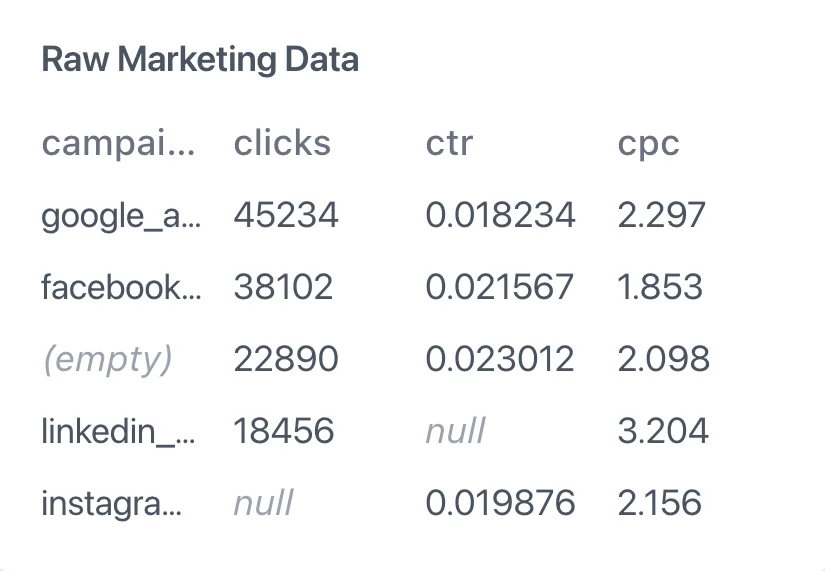
AI Analyzes Your Data
Our AI Data Analyst examines your sheets, identifies data types, relationships, and patterns automatically. It understands your data structure without any manual configuration.

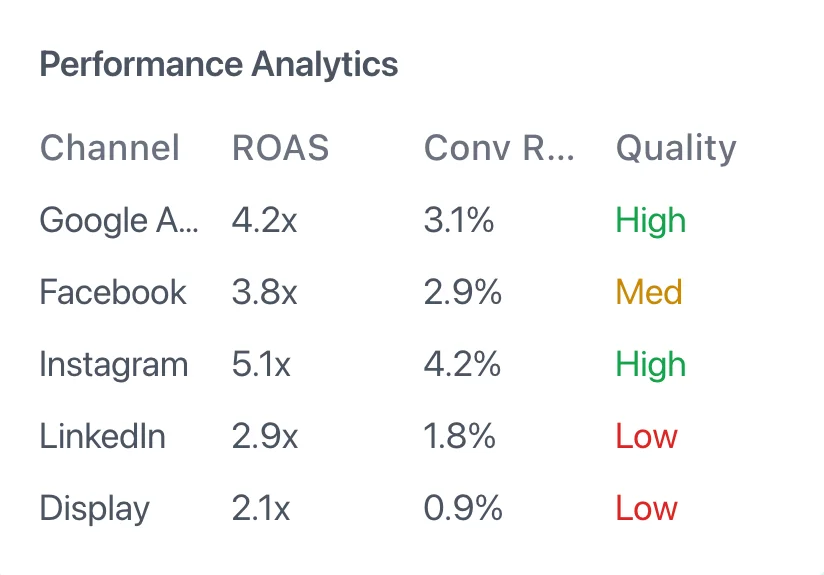
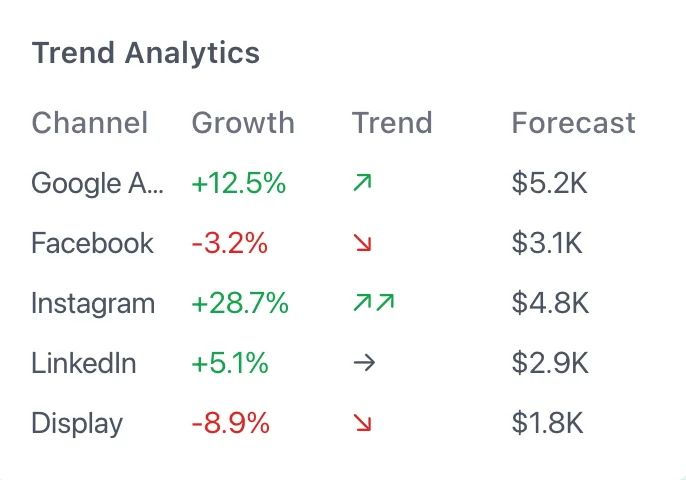
Generate Insights & Dashboards
Get instant insights and automated dashboards. Ask questions about your data in natural language and receive intelligent answers backed by your Excel data.
Share and Refresh
Share dashboards and reports with your team, export results, and rerun the workflow when the next spreadsheet arrives.
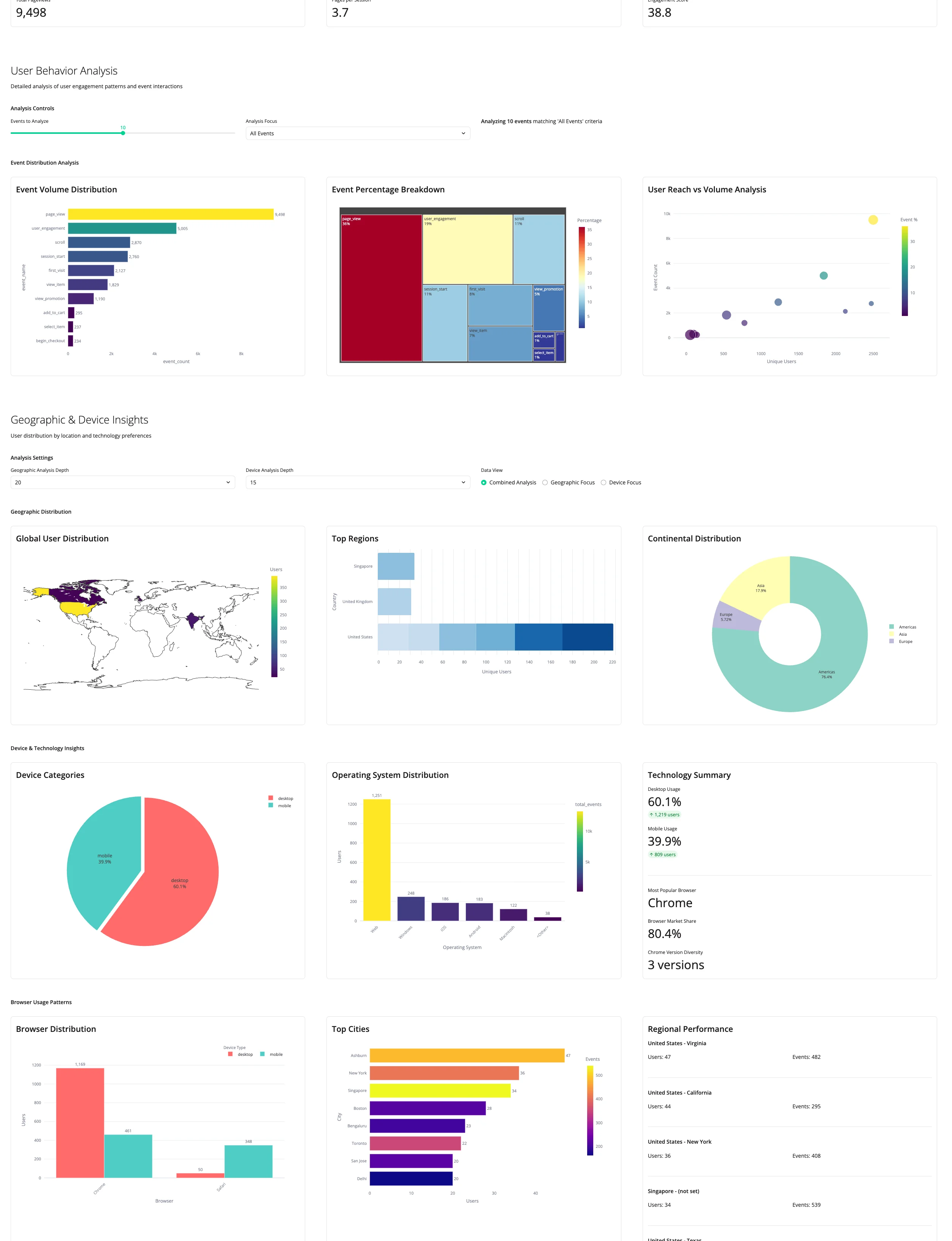
Powerful Features for Excel Analytics
All the tools and technology you need to unlock insights from your Excel data. Transform raw data into actionable insights with AI-powered analysis and automated dashboards. Built for data teams who need fast, reliable analytics at scale.

Report-Ready Analysis
AI analyzes your Excel sheets, identifies patterns, and turns the work into dashboards or reports. No formulas or pivot tables needed.
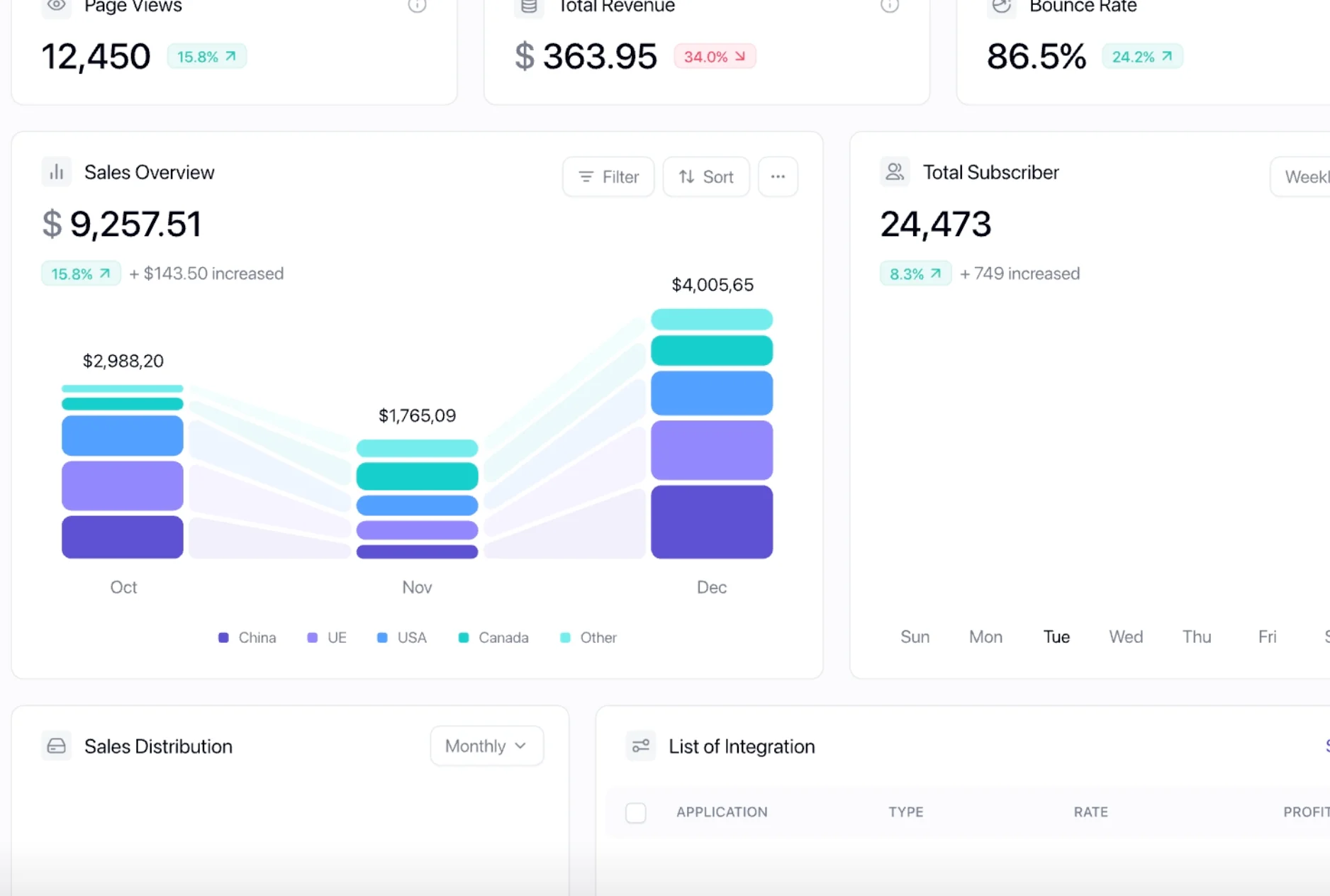
Refreshable Dashboards
Transform Excel data into dashboards and recurring reports your team can review without passing around fragile attachments.

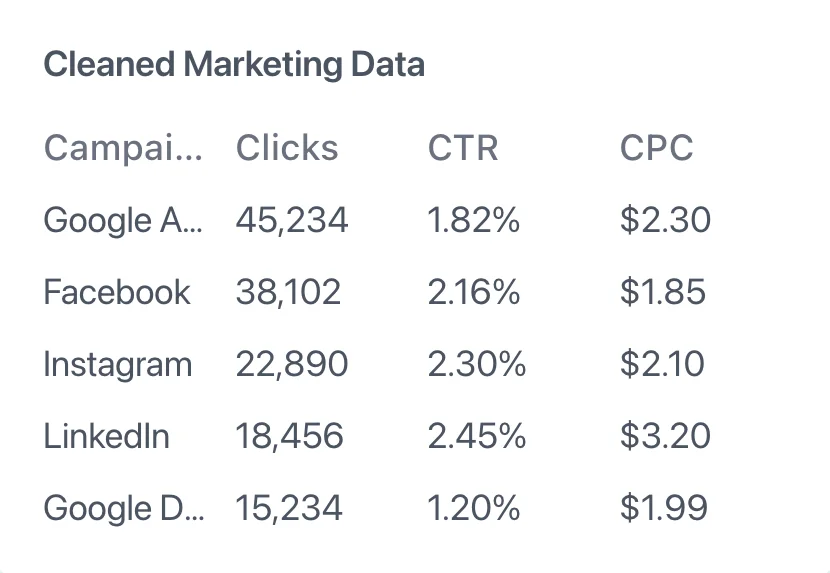
Automatic Data Cleaning
AI detects and fixes common data issues automatically. Clean your data without manual work.

Secure Processing
Your Excel files are encrypted and processed securely. Data is never shared with third parties.

Handle Large Files
Process Excel files with millions of rows that crash traditional tools. Our AI handles files up to 1GB.
Automatic Data Cleaning
Report-Ready Analysis
AI analyzes your Excel sheets, identifies patterns, and turns the work into dashboards or reports. No formulas or pivot tables needed.
Refreshable Dashboards
Transform Excel data into dashboards and recurring reports your team can review without passing around fragile attachments.
Secure Processing
Handle Large Files
Frequently Asked Questions
What Excel file formats do you support?
Do I need to clean my Excel data first?
Can I analyze multiple Excel sheets?
Will you change my original Excel file?
What if my Excel file has formulas?
Is my Excel data secure?
How is this different from Excel's built-in AI features like Copilot?
Can I connect Excel to other data sources like databases?
What happens when my Excel file is too large for traditional tools?
Related Articles
Deepen your understanding with these guides on AI-powered data analysis
How to Quickly Analyze Data in Excel: Step-by-Step Guide
Master Excel's quick analysis tool to transform raw data into insights in seconds. Learn how to save 80% of data analysis time.
Excel and AI: The Interface Problem Nobody Talks About
Excel Copilot and AI-powered spreadsheet tools promise to revolutionize data analysis. But they miss the fundamental issue.
AI Data Analysis Tools in 2026: From Excel Companion to Full-Stack Analyst
The AI data analysis landscape is evolving from simple Excel copilots to full-stack AI data analyst agents.
Explore Other Data Connectors
Connect multiple data sources and centralize your analytics


Ready to get started with Excel?
Connect your Excel data and turn it into dashboards, insights, and reports you can verify.



