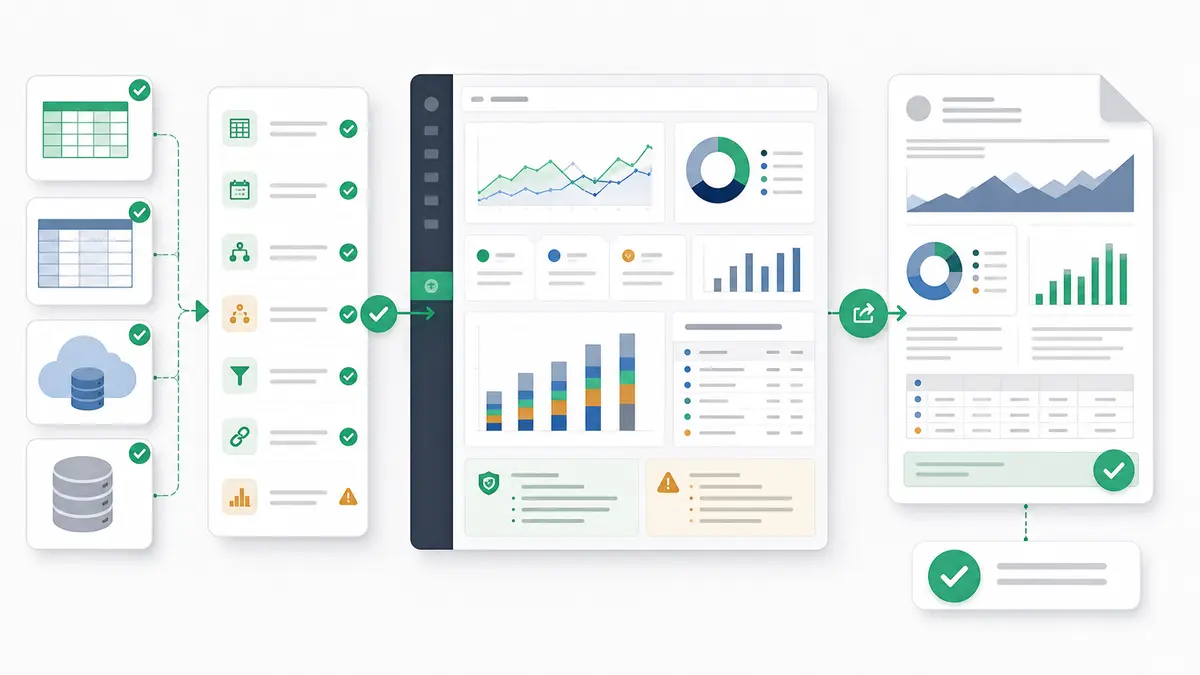
Every analytics vendor now claims to be "AI-powered." The result: searching for AI data analysis tools returns a wall of marketing pages that all sound identical. We cut through the noise by comparing 10 platforms across the same five criteria, so you can figure out which one actually fits your workflow.
This is not a listicle of features copied from vendor websites. It's an honest breakdown of what each tool does well, where it falls short, and who it's actually built for.
This guide stays deliberately source-agnostic — it compares tools by how they fit a workflow, not by one file type. If you have already narrowed to a specific source, a focused comparison will serve you better: AI tools for Excel and spreadsheets, tools to analyze CSV files, Google Sheets analysis tools, or GA4 analysis tools. If you would rather see picks ranked by use case, see our guide to the best AI tools for data analysis and visualization.
How We Evaluated
Every platform was assessed on five dimensions:
- Scope — Does it handle the full workflow (connect → clean → analyze → visualize → share), or just one step?
- Data scale — Can it handle real production datasets (millions+ rows), or does it choke past demo size?
- Transparency — Can you see the SQL, formulas, or logic behind every output? Or is it a black box?
- Integrations — Does it connect to your existing stack (warehouses, spreadsheets, databases, BI tools)?
- Pricing — What does it actually cost for a real team, not just the "starting at" number?
Quick Comparison
| Platform |
Type |
Best For |
Data Scale |
Transparency |
| Anomaly AI |
AI tool |
Dashboards, reports, and repeatable analysis workflows |
Millions of rows |
Traceable logic |
| ChatGPT |
General AI |
Quick file exploration |
512MB/file (~50MB CSV) |
Python code |
| Julius AI |
AI analyst |
NL analysis, files or databases |
Files + DB/warehouse connectors |
Shows code |
| Copilot |
Spreadsheet AI |
Excel/Power BI teams |
Excel + Power BI |
Partial |
| Gemini |
Workspace AI |
Google Workspace teams |
Sheets + BigQuery |
Partial |
| ThoughtSpot |
AI BI |
Enterprise self-service |
Warehouse-scale |
Generated SQL |
| Databricks |
Notebook AI |
Data engineers/scientists |
Very large (Spark) |
Full code |
| Snowflake Cortex |
Warehouse AI |
Snowflake SQL workflows |
Warehouse-scale |
SQL-native |
| Tableau AI |
BI + AI |
Existing Tableau users |
Source-dependent |
Partial |
| Amazon Quick Suite |
BI AI layer |
AWS-native teams |
AWS sources |
Partial |
Category 1: AI Data Analyst Agents
These platforms try to replace the analyst workflow, not just assist with one step.
Anomaly AI
What it does: Connects to your databases, warehouses, spreadsheets, and analytics platforms (BigQuery, MySQL, GA4, Excel, Google Sheets, and ad account exports). An AI tool inspects schemas, prepares data, generates analysis, builds dashboards, and turns findings into refreshable reports, source-backed summaries, and scheduled reporting workflows (scheduling is a Pro feature) with traceable logic behind every output.
Strengths:
- Full workflow ownership — takes the work from "connect your data" to "here's the dashboard, report, or a scheduled email report on Pro," while keeping the logic reviewable so you can check the result
- Traceable analysis — every output can show the logic, source data, assumptions, and calculations that produced it. No black-box reporting.
- Connected sources or large uploads — connect sources like BigQuery, GA4, MySQL, and Snowflake, or upload Excel and CSV files up to 1GB. Refresh by rerunning the workflow on a new file or re-syncing a connected source; on Pro and higher, a scheduled email report can optionally re-sync a supported source before it renders. It is not real-time streaming or a universal source scheduler.
- Multi-source reporting — join data from BigQuery, GA4, Excel, ad account exports, and spreadsheets in one workflow
Weaknesses:
- Newer platform — smaller community and fewer integrations than enterprise incumbents
- Not designed for statistical modeling or custom ML pipelines (it's an analyst, not a data science workbench)
Best for: Marketing and business teams with data in spreadsheets, GA4, ad accounts, databases, or warehouses who want AI to handle the full reporting cycle — not just answer one question at a time.
Try Anomaly AI →
Julius AI
What it does: Upload a file or connect a database or warehouse (Postgres, Snowflake, BigQuery, MySQL, and more). Ask questions in natural language; Julius writes Python/R/SQL, runs it, and returns charts and answers. It also supports notebooks, shareable dashboards, and scheduled runs delivered by email or Slack.
Strengths:
- Very low friction — connect a database or upload a file and start asking questions immediately
- Shows the code behind every answer (Python, R, or SQL)
- Works for quick one-off analyses as well as recurring, scheduled reporting
Weaknesses:
- Best suited to focused analyses and reporting rather than a governed, multi-user BI deployment
- Newer than incumbent BI platforms, with a smaller ecosystem and fewer enterprise governance controls
- Can still struggle with very large or messy multi-table schemas compared with warehouse-native tools
Best for: Analysts and small teams who want fast natural-language analysis over files or connected databases, with optional scheduled reports.
ChatGPT (Advanced Data Analysis)
What it does: Upload files (CSV, Excel, PDF) to ChatGPT. It writes and executes Python code in a sandboxed environment, returning visualizations and analysis.
Strengths:
- Incredibly versatile — not limited to analytics; can combine analysis with writing, coding, and research
- Strong at explaining results in plain language
- Code is visible and editable
- $20/month includes all other ChatGPT Plus features
Weaknesses:
- The default Advanced Data Analysis flow works from uploaded files (512MB per-file cap, ~50MB for CSVs/spreadsheets); connecting a live database takes a separately configured app or connector (for example, the admin-set-up Snowflake app template), not the built-in flow
- No persistent dashboards or scheduled analysis
- Context window limits mean it can lose track of large datasets mid-conversation
- Not purpose-built for analytics — you often need to prompt-engineer to get structured output
Best for: Ad-hoc data exploration when you need a quick answer from a file and don't need ongoing dashboards or live connections.
Category 2: Spreadsheet & BI Copilots
These add AI capabilities to tools you already use. Convenient, but limited to the host tool's constraints.
Microsoft Copilot (Excel + Power BI)
What it does: AI assistant embedded in Excel and Power BI. In Excel, it generates formulas, creates charts, and summarizes data. In Power BI, it generates DAX queries, creates report pages, and answers questions about your dashboards.
Strengths:
- Zero new tools to learn — lives inside Excel and Power BI
- Deep integration with Microsoft 365 ecosystem
- Strong at formula generation and pivot table creation in Excel
- Power BI Copilot can build report pages from natural language descriptions
Weaknesses:
- $30/user/month (paid yearly) on top of a qualifying Microsoft 365 plan — adds up fast for teams
- Power BI Copilot additionally needs a paid Fabric (F2+) or Premium (P1+) capacity — a Pro or PPU license alone isn't enough
- Bounded by Excel's row limits and Power BI's data model constraints
- AI suggestions can be hit-or-miss for complex analytical logic
- Can't cross tool boundaries — Excel Copilot doesn't know what's in your Power BI models
Best for: Teams already deep in the Microsoft ecosystem who want incremental productivity gains without changing workflows.
Google Gemini (Sheets + BigQuery Studio)
What it does: AI assistant in Google Sheets (sidebar + =AI() function) and BigQuery Studio (natural language to SQL, auto-completion). Explore feature adds ML-powered insights.
Strengths:
- Available in Google Sheets on eligible Google Workspace or Google AI plans — not every edition includes it
- =AI() function is genuinely useful for text analysis, categorization, and extraction at scale
- BigQuery Studio integration lets non-SQL users query warehouse data
- Connected Sheets bridges the gap between spreadsheet and warehouse
Weaknesses:
- Sheets AI is still limited by the 10-million-cell cap
- BigQuery Studio's natural language SQL is inconsistent on complex queries
- No cross-product AI — Sheets Gemini doesn't know about your BigQuery data and vice versa
Best for: Google Workspace teams who want AI assistance without leaving Sheets or BigQuery. For a deep dive, see our Google Sheets data analysis guide.
Category 3: Enterprise AI Analytics
Platforms built for organizations with existing data infrastructure and larger budgets.
ThoughtSpot Spotter
What it does: Natural language search interface on top of your data warehouse. Ask "what were top-selling products last quarter?" and get instant charts. Spotter (their agentic AI layer, which replaced the retired Sage) generates SQL, validates it against your data model, and returns governed answers.
Strengths:
- Strong natural-language search for governed self-service analytics
- Shows generated SQL for every answer
- Strong governance — answers are bounded by your semantic model
- Liveboards (dashboards) update from live warehouse data
Weaknesses:
- Requires a semantic model (ThoughtSpot Modeling Language) — significant upfront setup
- Enterprise pricing puts it out of reach for small teams
- Best as a consumption layer — not a replacement for data prep or engineering tools
Best for: Mid-to-large enterprises with a data team that can maintain the semantic model and wants to democratize warehouse access.
Tableau AI (Pulse + Tableau Agent)
What it does: AI features layered into Tableau's visualization platform. Tableau Pulse delivers proactive metric monitoring, and Tableau Agent (its generative-AI assistant, which replaced the retired Ask Data) helps build calculations and views and answer questions in natural language. Explain Data surfaces statistical drivers behind data points.
Strengths:
- Visualization quality remains a standout
- Tableau Pulse is genuinely useful — proactive alerts instead of checking dashboards manually
- Explain Data helps non-analysts understand "why" behind numbers
Weaknesses:
- AI features feel bolted-on rather than native — Tableau was built before the AI wave
- Its AI assistance can still be inconsistent on complex data models
- Expensive — from $75/user/month for a Standard Creator (billed annually); AI authoring (Tableau Agent) needs an eligible Tableau+/Cloud+ edition, role, and site enablement
Best for: Existing Tableau shops that want AI-powered monitoring (Pulse) without migrating to a new platform.
Amazon Quick Suite (formerly QuickSight)
What it does: In 2025 Amazon QuickSight became Amazon Quick Suite, with its BI capabilities now called Amazon Quick Sight. Natural-language questions return charts and answers from your datasets, and it can generate calculated fields and build dashboards from descriptions, alongside newer agentic research and automation features.
Strengths:
- Tight AWS integration — S3, Redshift, Athena, RDS all connect natively
- Reasonable pricing for AWS-committed teams ($24/user/month for the base Author role; generative-BI Author Pro is $40)
- Executive summary generation is useful for stakeholder reports
Weaknesses:
- Quick Sight visualization quality still trails Tableau and Power BI
- AI answers work over your Quick Sight datasets, though Direct Query datasets can sit on Redshift, Athena, Aurora PostgreSQL, or S3 Tables
Best for: Teams already invested in AWS who want a "good enough" AI analytics layer without introducing new vendors.
Category 4: Warehouse-Native AI
For teams that live in their data warehouse and want AI capabilities without data movement.
Databricks Assistant
What it does: AI copilot embedded in Databricks notebooks and SQL editor. Generates code (Python, SQL, Scala), explains existing code, debugs errors, and auto-completes queries.
Strengths:
- Very large scale — runs on Spark, so billions of rows are routine (subject to compute and service limits)
- Full transparency — you see and control every line of code
- Included in Databricks pricing — no additional cost
- Can leverage Unity Catalog for governed, context-aware suggestions
Weaknesses:
- Requires technical users — it's a coding assistant, not a point-and-click analytics tool
- Historically code-first, though Databricks now adds AI/BI dashboards and Genie for low-code dashboards and natural-language querying
- Only useful if you're already on Databricks
Best for: Data engineers and scientists already on Databricks who want faster coding, not a new analytics experience.
Snowflake Cortex
What it does: Suite of AI functions (COMPLETE, SUMMARIZE, TRANSLATE, SENTIMENT, etc.) that run directly inside Snowflake SQL. Cortex Analyst adds a natural language interface for business users. Cortex Search enables semantic search over unstructured data.
Strengths:
- Data never leaves Snowflake — critical for governance-sensitive teams
- SQL-native — AI functions are just SQL functions, so existing pipelines can use them
- Cortex Analyst provides a governed NL-to-SQL interface for business users
- Pay-per-use (credit-based) — no per-seat licensing
Weaknesses:
- Only works on data in Snowflake — can't analyze spreadsheets, GA4, or external databases
- Cortex Analyst requires a semantic model definition
- Visualization is minimal — still needs a BI frontend for dashboard delivery
Best for: Snowflake customers who want to add AI capabilities to existing SQL workflows without moving data.
Skip the feature matrix. Start with your situation:
"We have data in databases/warehouses and want AI to handle the full analysis."
→ Anomaly AI. Connects to your data sources or takes file uploads, runs end-to-end analysis, builds dashboards and reports, and keeps the logic, source data, and calculations reviewable. No separate BI tool required.
"We need quick answers from a CSV or Excel file."
→ ChatGPT or Julius AI. Upload, ask, get answers. ChatGPT is more versatile; Julius is more analytics-focused.
"We're all-in on Microsoft 365 / Google Workspace."
→ Copilot or Gemini. Stay in the tool you know. Good for incremental AI assistance, but limited to the host tool's ceiling.
"We have a data team and a warehouse. We want self-service analytics for business users."
→ ThoughtSpot Spotter. Best-in-class natural language search, but requires investment in a semantic model.
"We're already on Databricks/Snowflake and want AI on top."
→ Databricks Assistant or Snowflake Cortex. AI where your data already lives. Technical users only.
"We use Tableau or Amazon Quick Sight and want AI features."
→ Tableau AI or Amazon Quick Suite. Incremental improvements to your existing BI. Don't expect a paradigm shift.
The Real Question: Copilot or Analyst?
The fundamental divide in AI data analysis tools isn't about features — it's about who does the work.
AI copilots (Copilot, Gemini, Databricks Assistant) speed up your existing workflow. You're still the analyst. You decide what to look at, what to clean, what to visualize. The AI just makes each step faster.
AI analyst agents (Anomaly AI, and to some extent ThoughtSpot) take ownership of the workflow. You describe what you want to understand, and the AI figures out the path — connecting sources, cleaning data, choosing metrics, building outputs.
Neither approach is universally better. But if your bottleneck is "we don't have enough analysts" rather than "our analysts are too slow," an agent-based approach will likely deliver more value.
What to Watch in 2026
- Agentic workflows go mainstream — Expect every major platform to ship "agent" features. The differentiator will be which ones actually work end-to-end vs. which ones are rebranded chatbots.
- Governance becomes non-negotiable — As AI generates more analysis, the question "can I trust this number?" becomes critical. Tools that show lineage and SQL will win over black boxes.
- Consolidation — The market has too many point solutions. Expect acquisitions and platforms that try to cover the full stack.
Ready to Try an AI Data Analyst?
If you're tired of uploading CSVs to chatbots and want AI that connects to your actual data sources or files, runs real analysis, and keeps the logic and source data reviewable behind every output:
Start with Anomaly AI free — connect Excel, GA4, BigQuery, Snowflake, Google Sheets, or MySQL and review the logic, source data, and calculations behind every output.
Related reading: