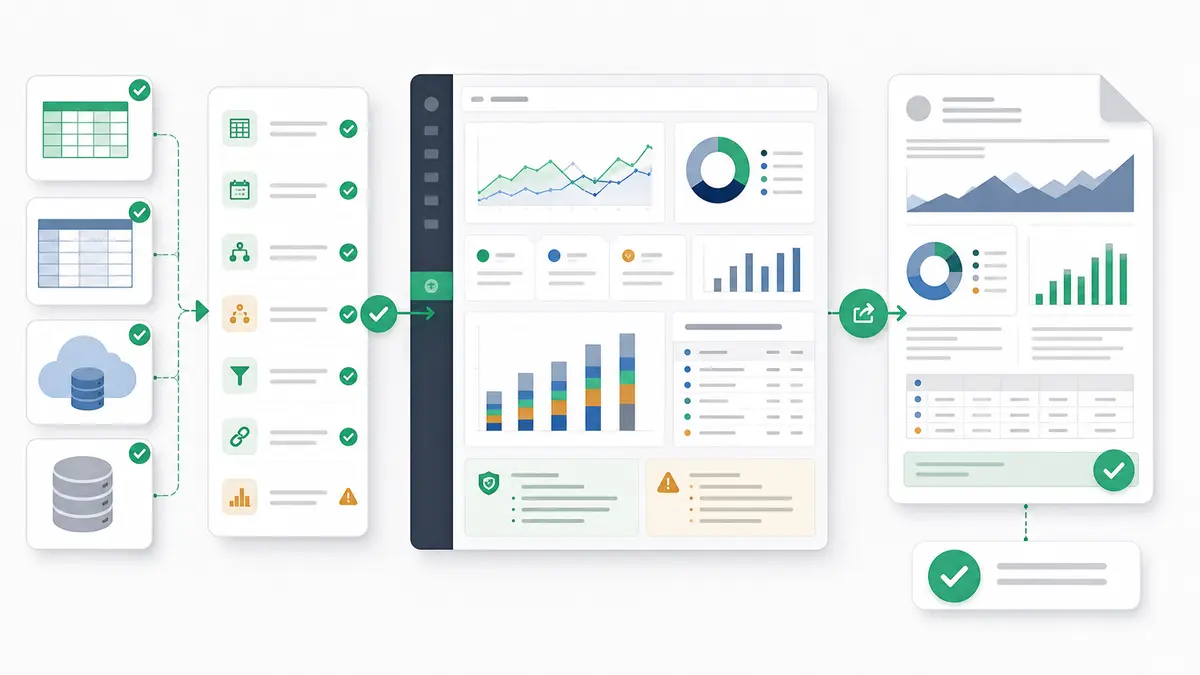
TL;DR: For business data that needs actual analysis, not just a chat answer or a dashboard canvas, use Anomaly AI for AI-led analysis, dashboards, Excel reports, and recurring reporting workflows. Use ChatGPT for quick one-off exploration, Claude for long-context reasoning, and Power BI or Tableau when the real job is governed enterprise BI.
The question isn't whether AI will change data analysis — it already has. The real question: which tools actually deliver on the promise of making data useful?
Too many organizations chase "AI-powered" labels without asking the fundamental question: What decisions are we trying to make? The best AI tool isn't the one with the fanciest model. It's the one that helps you go from data to decision faster.
Let's cut through the noise and look at what actually works in 2026. If your main need is traditional dashboard or chart design rather than AI analysis, use the separate data visualization tools comparison.
A few needs are better served by a more focused guide. For a source-agnostic head-to-head of the market, see our AI data analysis tools comparison. If you specifically want an AI data-analyst agent, see the best AI data analyst guide. And if your data lives in one place, start with the Excel or GA4 tool comparisons.
What Makes AI Tools Different from Traditional Analytics?
Before we dive into specific tools, let's be clear about what "AI-powered" data analysis actually means. It's not just slapping a chatbot onto a dashboard.
Traditional analytics tools require you to know what questions to ask. You write SQL queries, build pivot tables, configure dashboards. You're the one doing the thinking — the tool just executes your instructions.
AI-powered tools flip this. You describe what you're trying to understand in plain English, and the AI:
- Translates your question into the right queries
- Explores patterns you didn't think to look for
- Surfaces patterns and insights (how proactively varies by tool)
- Can take guided actions on what it finds, with the degree of autonomy varying by tool (the "agentic" shift of 2026)
The difference? Traditional tools show you what's in your data. AI tools help you understand what it means — and increasingly help you act on it.
The AI Data Analysis Landscape in 2026
The market has split into three distinct categories:
- Large Language Models (LLMs) adapted for data work — ChatGPT, Claude, Gemini
- Traditional BI platforms with AI copilots — Power BI, Tableau, Looker
- AI-native analytics tools built from the ground up — Anomaly AI, ThoughtSpot, Databricks
Each serves a different workflow. Let's break them down.
Before the full breakdown, here's an at-a-glance comparison of all 10 tools covered in this guide. Use it to shortlist candidates, then jump to the detailed section for the ones that fit your use case.
| Tool |
Best For |
Price |
Key Feature |
Verdict |
| ChatGPT |
Quick data exploration |
Free / $20–$200 per month |
Advanced Data Analysis with Projects for persistent context |
Fastest path from a CSV upload to a first insight on a one-off analysis |
| Claude |
Complex multi-step reasoning |
Free tier (with extended thinking); paid plans raise usage and model access |
Up to 1M-token API context (Opus 5, Sonnet 5) plus extended thinking mode |
Best when you need to reason over large documents, datasets, or codebases in one place |
| Google Gemini |
Google ecosystem integration |
Free tier; paid through Google Workspace |
Separate Gemini-in-Sheets and Gemini-in-BigQuery surfaces, plus Deep Research web mode |
Best if your data already lives in Google Workspace, BigQuery, or GA4 |
| Microsoft Power BI |
Enterprise business intelligence |
Free Desktop; Pro $14 / Premium Per User $24 per user/month, billed yearly |
Copilot for natural language reporting plus Microsoft Fabric lakehouse integration |
The default for Microsoft-shop enterprises that need governed BI with AI assistance |
| Tableau |
Visual analytics and storytelling |
From $75/Creator/mo (Standard, billed annually) |
Tableau Agent AI-assisted authoring (Tableau+/Cloud+) plus Pulse metric monitoring |
A strong option when visualization quality and executive storytelling matter most |
| Looker |
Data engineering teams on Google Cloud |
Enterprise pricing on GCP |
LookML governed semantic layer with Gemini-powered natural language querying |
Best for technical teams that want a governed semantic model, not just dashboards |
| Anomaly AI |
AI analyst workspace for large business datasets |
Free $0; Pro $25/mo; Analyst $90/mo; Team $45/seat/mo (2-seat min) |
AI-led analysis, dashboards, reports, and recurring reporting workflows |
Best for teams that want analysis done for them, not another BI project |
| ThoughtSpot |
Search-based self-service analytics at scale |
Enterprise pricing |
Spotter agentic AI search and analytics (successor to Sage) |
Best for enterprises that want a search-first analytics experience on clean, governed data |
| Databricks |
Machine learning and data engineering at scale |
Enterprise pricing |
Mosaic AI — unified AI Assistant, Genie natural language querying, and model serving |
Strong fit for ML-heavy lakehouse teams operating at very large scale |
| Domo |
Executive dashboards and real-time operational monitoring |
Enterprise pricing |
Domo.AI forecasting and anomaly alerts plus Jupyter notebook integration |
Best when leadership needs mobile-first, real-time KPI monitoring in one platform |
Prices reflect publicly listed plans verified in August 2026. Enterprise tiers typically require a direct sales conversation; figures here are directional.
1. ChatGPT (OpenAI) — Best for Quick Data Exploration
What it does: ChatGPT's Advanced Data Analysis runs Python behind the scenes to analyze uploaded files, handling CSV, Excel, JSON, and even image-based data. The Projects feature lets you organize related analyses and persist context across sessions — a significant upgrade from the earlier single-session workflow.
Key capabilities:
- Upload CSV, Excel, JSON, or PDF files directly
- Generate interactive visualizations on the fly
- Clean messy data and handle missing values
- Run statistical analyses and regression models
- Organize work in Projects with persistent memory
Best for: Analysts who need quick insights, one-off explorations, or want to prototype ideas before building formal dashboards.
Limitations:
- File size limits that vary by plan
- No live database connection in the default flow (connecting one needs a separately configured app or connector)
- Results don't automatically update with new data
- Chats persist and can be reopened; Projects add shared files, instructions, and context across related chats
Pricing: Free tier includes limited data-analysis and file uploads; Plus ($20/month); Business ($25/user/month, or $20 billed annually, two-seat minimum); Pro ($200/month) for extended limits
Example scenario (hypothetical): a marketing manager uploads last quarter's campaign data and asks, "Which channels drove the most conversions per dollar spent?" ChatGPT analyzes the data, creates comparison charts, and surfaces channels that outperformed expectations — the directional finding is the point, not a specific multiple.
Learn more about ChatGPT
2. Claude (Anthropic) — Best for Complex Reasoning
What it does: The Claude 5 family excels at sophisticated data reasoning. Via the Claude API, Opus 5 and Sonnet 5 offer up to a 1M-token context window (Haiku 4.5 uses 200k); the claude.ai consumer plans expose a smaller context (around 200k). A larger context lets Claude take in more data at once. Extended thinking mode — available on free and paid plans — lets it work through multi-step analytical problems methodically and share a summary of its thought process.
Key capabilities:
- Take in large datasets with fewer chunking steps (up to a 1M-token context on Opus 5 and Sonnet 5)
- Extended thinking for multi-step reasoning through complex problems
- Claude Code — a CLI tool for running data pipelines and analysis scripts autonomously
- Artifacts for reusable analysis outputs (charts, tables, code)
- Strong at identifying patterns and anomalies and explaining its reasoning
Best for: Data scientists tackling complex analytical problems, teams needing reproducible analysis workflows, organizations with large documents or codebases to analyze alongside structured data.
Pricing: Free tier includes extended thinking; a paid plan unlocks the largest Opus model and higher usage
Learn more about Claude
3. Google Gemini — Best for Google Ecosystem Integration
What it does: Google Gemini is natively multimodal and available across Google Workspace through separate surfaces — Gemini in Sheets and Gemini in BigQuery — rather than one universal data connection. Its thinking mode reasons step-by-step through complex problems, and Deep Research can autonomously investigate topics across the web before synthesizing findings.
Key capabilities:
- Analyze data directly in Google Sheets with natural language
- Large context on Google's top API models; Gemini Apps context varies by plan
- Multimodal analysis — combine text, images, video, and structured data
- Separate Gemini experiences in BigQuery and Google Sheets; GA4 data is analyzed via its BigQuery export, not a direct Gemini-GA4 integration
- Thinking mode for step-by-step complex reasoning
- Deep Research for autonomous multi-source web investigation
Best for: Organizations using Google Workspace, teams with data in BigQuery (including GA4 data exported to BigQuery), analysts who need multimodal analysis or autonomous research workflows.
Learn more about Gemini
4. Microsoft Power BI with Copilot — Best for Enterprise BI
What it does: Power BI remains the enterprise BI standard. Copilot adds natural language querying, automated narrative summaries, and AI-assisted report creation — but it requires a paid Fabric (F2+) or Power BI Premium (P1+) capacity plus admin enablement, so a Pro or PPU license alone isn't enough. The deeper integration with Microsoft Fabric means Power BI connects to a unified data lakehouse, reducing the ETL friction that used to plague enterprise deployments.
Key AI capabilities:
- Copilot in reports: Describe what you want in plain English, get instant visualizations and narrative summaries
- Automated insights: AI detects anomalies, trends, and outliers automatically
- DAX generation: Copilot writes DAX formulas from natural language descriptions
- Fabric integration: Unified data lakehouse connects Power BI to Synapse, Data Factory, and real-time analytics
Best for: Enterprises in the Microsoft ecosystem, teams needing governed BI with AI assistance, organizations with complex data models across multiple sources.
Pricing: Free download (Power BI Desktop); Pro ($14/user/month, billed yearly); Premium Per User ($24/user/month, billed yearly); Copilot needs Fabric or Premium capacity
Learn more about Power BI
5. Tableau with Tableau Agent — Best for Visual Analytics
What it does: Tableau has long been a leading enterprise visualization platform. Tableau Agent is its AI-assisted authoring assistant, available on Tableau+/Cloud+ with eligible Creator/Explorer roles and site enablement. It helps prepare data, build calculations, and draft views, with the analyst reviewing and iterating within documented limits.
Key AI capabilities:
- Tableau Agent: AI-assisted authoring that helps prep data, build calculations, and draft views (Tableau+/Cloud+, with human review)
- Tableau Pulse: Personalized, AI-powered metric monitoring delivered proactively to stakeholders
- Tableau Pulse Q&A: ask natural-language questions of your metrics (this replaced the retired Ask Data)
- Einstein Discovery: predictive analytics via a separately configured Salesforce-backed integration
Best for: Organizations prioritizing visual storytelling, teams with complex visualization needs, Salesforce ecosystem users who want tight CRM-to-analytics integration.
Learn more about Tableau
6. Looker (Google Cloud) with Gemini — Best for Data Teams
What it does: Looker is a powerful BI platform for technical teams, especially those on Google Cloud. The Gemini integration replaces earlier Vertex AI features, bringing conversational analytics and LookML generation directly into the platform. Ask questions in natural language and Looker translates them into governed, LookML-validated queries.
Best for: Data engineering teams, organizations on Google Cloud Platform, companies that need a governed semantic layer with AI querying on top.
Learn more about Looker
AI-Native Analytics Tools
7. Anomaly AI — Best AI Analyst for Large Business Datasets
What it does: Anomaly AI is built for datasets that have outgrown spreadsheets and questions that deserve more than a one-off chatbot answer. Ask what changed, why it changed, or what dashboard or report you need, and Anomaly runs the analysis before creating the dashboard, Excel report, PowerPoint or PDF, or scheduled email report.
Key capabilities:
- Creates dashboards, Excel reports, PowerPoint slides, Word docs, PDFs, and scheduled email reports
- Traceable analysis — review the logic, source data, assumptions, and calculations behind each output
- Connect multiple reporting sources: Excel, GA4, ad account exports, Google Sheets, BigQuery, and MySQL
- Handles large files (up to 1GB) that crash Excel or hit ChatGPT upload limits
- AI-generated dashboards, with shareable dashboards and scheduled email reporting on paid plans
Best for: Marketing teams, business analysts, consultants, and operators whose data has outgrown spreadsheets and whose work needs to become dashboards, recurring reports, source-backed summaries, or scheduled updates. Particularly strong for GA4 analysis and recurring large-dataset workflows.
Pricing: Free $0 / Pro $25/month / Analyst $90/month / Team $45/seat/month (2-seat minimum)
Try Anomaly AI free
8. ThoughtSpot with Spotter — Best for Search-Based Analytics
What it does: ThoughtSpot pioneered search-based analytics — think "Google for your data." ThoughtSpot Spotter, its agentic AI experience that replaced the retired Sage, lets users ask complex multi-part questions in natural language and get AI-generated answers with full drill-down into the underlying data model.
Best for: Organizations wanting self-service analytics at scale, teams with clean governed data models, enterprises needing a search-first analytics experience with strong embedding support.
Learn more about ThoughtSpot
9. Databricks with Mosaic AI — Best for Machine Learning at Scale
What it does: Databricks is the platform for large-scale data engineering and machine learning. Mosaic AI (the unified AI layer) brings together the AI Assistant for code generation, Genie for natural language data querying, and model serving into a single platform. If you're building production ML pipelines, Databricks is a common choice for ML-heavy lakehouse teams operating at very large scale.
Best for: Data science and ML engineering teams, organizations with petabyte-scale data, companies building and serving production ML models.
Learn more about Databricks
10. Domo with Domo.AI — Best for Executive Dashboards
What it does: Domo is a cloud-based BI platform focused on executive-level insights and real-time operational monitoring. Domo.AI adds AI-powered forecasting, automated anomaly alerts, and natural language querying. The Jupyter notebook integration lets data scientists build custom models directly within the platform.
Best for: Executives and managers who need real-time KPI monitoring, mobile-heavy teams, organizations that want BI and data science in one platform.
Learn more about Domo
How to Choose the Right AI Tool for Your Needs
Here's a practical decision framework:
By Team Size
Solo analyst or small team (1-5 people):
- Start with: ChatGPT Plus or Anomaly AI
- Why: Low cost, minimal learning curve, fast time-to-insight
Mid-size team (5-50 people):
- Start with: Power BI, Data Studio (formerly Looker Studio), or Anomaly AI
- Why: Balance of power and usability, reasonable pricing
Enterprise (50+ people):
- Start with: Power BI, Tableau, or ThoughtSpot
- Why: Governance, scalability, embedding, enterprise support
By Technical Skill Level
Non-technical users (marketers, managers, executives):
- Best fit: Anomaly AI, ChatGPT, Data Studio (formerly Looker Studio)
- Why: Natural language interfaces, no SQL required
Analysts (comfortable with Excel, basic SQL):
- Best fit: Power BI, Tableau, Qlik Sense
- Why: Balance of point-and-click and code, strong visualization
Data scientists (Python, SQL, ML expertise):
- Best fit: Databricks, Claude, Looker
- Why: Full control, advanced capabilities, code-first workflows
What's Changed in AI Data Analytics in 2026
Three shifts have reshaped the landscape since we first published this guide:
1. Agentic AI is here, not hypothetical
Most major platforms now ship an "agent" — Tableau Agent, Power BI Copilot, Databricks Genie, ThoughtSpot Spotter — but they aren't interchangeable. They span constrained copilots and assisted authoring through to governed query agents and more autonomous workflows, and most still need data-model setup, role and site enablement, and human review. Where it applies, the shift from "AI answers questions" to "AI investigates proactively" is a defining change of 2026.
2. Bigger context windows ease the chunking problem
Claude's up-to-1M-token API context (on Opus 5 and Sonnet 5) and Gemini's large context windows let you feed bigger datasets into an LLM with less splitting. Because chunking can introduce errors, fewer splits can help the model catch relationships across the data — though results still depend on the model, data, and prompt.
3. Traceability is becoming a differentiator
As more teams adopt AI analytics, the question has shifted from "can the AI answer my question?" to "can I trust and reuse the output?" Tools that show their work — the logic, source data, assumptions, calculations, and, where relevant, the SQL — are winning over teams that need defensible reporting. Black-box insights don't fly in high-stakes business decisions.
Conclusion: Which AI Tool Should You Choose?
There's no single "best" AI tool for data analysis. The right choice depends on your team, your data, and — most importantly — the decisions you're trying to make.
If you're just getting started: Try ChatGPT Plus or Anomaly AI's free tier. Get a feel for natural language data analysis before committing to enterprise platforms.
If you're in the Microsoft ecosystem: if you already run an eligible Fabric (F2+) or Premium (P1+) capacity, Power BI with Copilot is a natural fit. The Fabric integration makes it even stronger for organizations already invested in Azure.
If visualization is your priority: Tableau remains a strong option for visual storytelling-heavy BI teams; its Tableau Agent AI authoring needs an eligible Tableau+/Cloud+ deployment, the right Creator/Explorer role and site enablement, and analyst review.
If you want the simplest path from business question to reusable reporting: Anomaly AI is built for this exact use case — especially when your data has outgrown spreadsheets and the answer needs to become a dashboard, report, or scheduled update.
If you're building ML models at scale: Databricks with Mosaic AI is a common choice for ML-heavy lakehouse teams.
The best tool is the one that helps you make better decisions faster. Start with your decisions, then pick the tool that serves them.
Frequently Asked Questions
What is the best AI tool for data analysis in 2026?
It depends on your use case. For business data that needs actual analysis, Anomaly AI is purpose-built for AI-led analysis, dashboards, Excel reports, and recurring reporting workflows. ChatGPT and Claude fit quick exploration, Power BI and Tableau fit governed enterprise BI, and Databricks fits ML and data engineering at scale.
Can ChatGPT really analyze data?
Yes. ChatGPT's Advanced Data Analysis (formerly Code Interpreter) lets you upload CSV and Excel files, runs Python behind the scenes, and generates charts. By default it works from uploaded files rather than a live database (connecting one needs a separately configured app or connector), results don't update automatically with new data, and file size limits make it unsuitable for large or ongoing datasets.
Is there a free AI data analysis tool?
Yes. ChatGPT Free, Claude's free tier, Google Gemini, and Anomaly AI's free tier all offer AI-powered data analysis at no cost. Power BI Desktop is a free download, but its Copilot AI features require paid Fabric or Premium capacity. Free tiers typically limit file size, number of queries, or dataset complexity.
What is the difference between AI-native analytics and traditional BI with AI features?
Traditional BI tools like Power BI and Tableau added AI features (Copilot, Einstein) on top of existing dashboarding workflows. AI-native tools like Anomaly AI and ThoughtSpot were built from the ground up around natural language querying, so the AI is the primary interface rather than an add-on. AI-native tools are typically faster to start with but may lack the deep customization of mature BI platforms.
Which AI tool handles the largest datasets?
For raw scale, Databricks handles petabyte-scale data with distributed computing. For large datasets without infrastructure complexity, Anomaly AI processes files up to 1GB and supports reporting workflows across Excel, GA4, ad account exports, Google Sheets, BigQuery, MySQL, and other database data. ChatGPT's default Advanced Data Analysis works from uploaded files — separately configured apps or connectors can add a live source — and both it and Claude have per-file size limits, so they aren't built for large or recurring datasets.
Try AI-Powered Data Analysis Today
Want to see what AI data analysis feels like? Try Anomaly AI free. Connect your data, ask for a dashboard or report in plain English, and review the logic, source data, assumptions, and calculations behind the output.
Because the goal is not another disconnected answer. It is a useful, verifiable business output your team can refresh, reuse, and share.