

Tools & Comparisons
12 min
Best Tableau Alternatives for Small Teams in 2026
Leaving Tableau as a small team? Match the replacement to which part of Tableau you keep and which cost, setup, or specialist burden you are trying to shed.
Read More


TL;DR — Best GA4 data analysis tools in 2026
Start with Google Analytics 4 Explorations (free, built-in). For dashboards: Looker Studio. For unsampled raw data at scale: BigQuery. For pulling GA4 into Sheets/Excel/BI: Supermetrics. For GA4 dashboards, quick AI answers, deeper traffic insights, anomaly investigation, and alerts: Anomaly AI. For enterprise marketing data hubs: Funnel.io. For BI platforms: Power BI or Tableau. All 10 compared below.
GA4 is powerful but frustrating. The interface is designed for viewing, not analyzing — and the moment you try to do anything beyond the default reports, you run into sampling, row limits, or the exploration builder's quirks. The good news: there's a thriving ecosystem of GA4 data analysis tools that fill the gaps — from free dashboards to AI tools that turn GA4 data into reports and recurring review workflows.
This guide compares 10 tools for analyzing GA4 data in 2026, organized by what kind of problem each one solves. Some are built for dashboarding. Some for pulling GA4 into Excel or a warehouse. Some for replacing GA4's query builder with an AI conversation. Pick the one that matches your actual workflow — not the one with the most features.
| Tool | Best For | Starting Price | GA4 Integration | Verdict |
|---|---|---|---|---|
| GA4 Explorations | Built-in analysis | Free | Native | Start here — free and built-in |
| Looker Studio | Free dashboarding | Free | Native connector | Best free dashboards |
| BigQuery | Unsampled raw data | Pay-as-you-go | Native export | Best for raw event data |
| Supermetrics | GA4 → Sheets/BI | Paid plans | Connector to 100+ destinations | Best data pipe |
| Anomaly AI | AI analyst for GA4 | Free tier | Native API | Best for plain-English queries |
| Funnel.io | Marketing data hub | Custom pricing | 500+ sources | Best for multi-channel ops |
| Power BI | Microsoft ecosystem | $10/user/mo | Via Supermetrics / BigQuery | Best for M365 shops |
| Tableau | Enterprise viz | $15/user/mo | Via BigQuery / connectors | Best for polished dashboards |
| ChatGPT (ADA) | Ad-hoc exports | Free / $20/mo | Manual CSV upload | Best for quick one-offs |
| Rows | Spreadsheet with GA4 | Free / paid plans | Built-in integration | Best modern spreadsheet |
Before you buy anything, use what Google gives you. GA4 Explorations is the custom report builder inside Google Analytics 4 — free, integrated, and surprisingly capable. You can build funnel reports, path analysis, cohort exploration, and segment overlap without any external tool.
Key capabilities:
Best for: Marketing operators who need custom reports without buying another tool. If GA4 Explorations answers your question, there's no reason to leave.
Trade-offs: Row limits (typically 10,000 per exploration), data sampling on high-traffic properties, no real-time collaboration, and a learning curve that makes even experienced analysts second-guess themselves. It's powerful but unintuitive.
Looker Studio (formerly Google Data Studio) is the default free dashboard tool for GA4 users. Native Google integration means GA4 connects in two clicks — no API keys, no connector fees. In 2026, Gemini in Looker Studio adds natural-language report generation and auto-summarization.
Key capabilities:
Best for: Marketing teams, agencies, and in-house analysts who need shareable GA4 dashboards without budget approval.
Trade-offs: Data sampling and aggregation issues when you push large date ranges. No native AI "ask a question" flow — you build reports by dragging charts. For real AI analysis, pair it with an AI analyst tool.
BigQuery is Google's cloud data warehouse, and GA4 includes a free native export (daily or streaming) to BigQuery. Once your event data is in BigQuery, you can query the full, unsampled, unaggregated event stream with SQL — something the GA4 UI can never do.
Key capabilities:
events_*)Best for: Analysts and data engineers who need full-fidelity GA4 data for advanced analysis, ML models, or joining with other business data.
Trade-offs: Requires SQL knowledge and familiarity with GA4's nested event schema. The event_params and user_properties structures are powerful but have a learning curve. See our GA4 to Excel export guide for a practical example of BigQuery-sourced analysis.
Supermetrics is a widely used marketing data connector — it pulls GA4 (and 100+ other sources) into Google Sheets, Excel, Looker Studio, Power BI, Tableau, and data warehouses on a schedule. If your workflow is "GA4 data ends up in a spreadsheet or BI tool," Supermetrics is the pipe.
Key capabilities:
Best for: Agencies and in-house marketing teams building recurring reports that pull GA4 data into spreadsheets or BI tools.
Trade-offs: Not an analysis tool — it's a connector. You still need a destination (Sheets, Power BI, etc.) to actually analyze the data. Pricing escalates with the number of connectors and destinations.
Anomaly AI has a native GA4 connector. Connect your GA4 property and ask for the dashboard, quick answer, or deeper traffic read you need: why sessions dropped, which channel changed, which landing pages moved, or which metric needs an alert. The analysis stays traceable, with source data, assumptions, and calculations available when needed.
Key capabilities:
Best for: Marketing operators who work with GA4 daily and need fast dashboards, quick AI answers, deeper investigation into traffic anomalies, and alerts without fighting the Explorations builder. Especially strong if you need to join GA4 with ad spend, CRM data, or offline conversions. For more on this workflow, see our guide to analyzing GA4 data with AI.
Pricing: Free $0 / Starter $16/month / Pro $25/month / Team $45/seat/month
Trade-offs: Not a pixel-perfect dashboard designer — if you need branded client decks, pair with Looker Studio. Anomaly AI is strongest for quick GA4 answers, dashboards, anomaly investigation, and alerts.
Funnel.io is a marketing data hub that aggregates GA4 alongside ad spend, CRM data, offline conversions, and 500+ other sources into a governed data model. It's the enterprise pick for marketing ops teams that need a single source of truth across channels.
Key capabilities:
Best for: Large marketing teams managing multi-channel paid media where GA4 is one source among many, not the primary source.
Trade-offs: Custom pricing — typically well above simpler connectors like Supermetrics. Overkill if GA4 is your only marketing data source.
Microsoft Power BI doesn't have a native GA4 connector (that was Universal Analytics-era), but you can pipe GA4 data into Power BI via BigQuery, Supermetrics, or Funnel.io. If your organization standardized on Power BI — especially as part of Microsoft Fabric — this is the path of least resistance. See our Power BI alternatives guide if you're reconsidering.
Key capabilities:
Best for: Organizations on Microsoft 365 / Fabric that want to consolidate all analytics — including GA4 — inside a single BI platform.
Trade-offs: No native GA4 API connector means you're always routing through a third-party or BigQuery. Extra cost and complexity for what Looker Studio does natively and free.
Tableau pairs with GA4 via BigQuery connectors, Supermetrics, or partner tools. In 2026, Tableau Agent (GA) adds agentic AI capabilities — ask Tableau to build a visualization or explain an outlier conversationally.
Key capabilities:
Best for: Enterprises that prioritize visualization quality and already have Tableau deployed. If you're sharing GA4 reports with executives or clients who expect polished dashboards, Tableau's chart library is second to none.
Trade-offs: Per-seat pricing (Tableau Standard $15/user/month, Enterprise $35/user/month, Tableau+ Bundle custom) and overkill for small teams. Requires warehouse or connector infrastructure to work with GA4.
ChatGPT's Advanced Data Analysis handles ad-hoc GA4 analysis when you export a report as CSV and upload it. It's not a GA4-native tool, but it's the fastest path from "I have this GA4 export open" to "give me a summary and a chart."
Key capabilities:
Best for: Quick one-off analysis when you already have a GA4 CSV in front of you and don't want to adopt another tool.
Trade-offs: No GA4 connector — every analysis starts with a manual export. Files are ephemeral per session. Not suitable for recurring reports or live data.
Rows is a modern spreadsheet with built-in integrations for 50+ SaaS tools, including GA4. Pull live data into cells, build reports that auto-refresh, and share them with stakeholders — all inside a familiar spreadsheet interface.
Key capabilities:
Best for: Marketing and ops teams that want GA4 data in a modern spreadsheet without managing add-ons or API keys.
Trade-offs: Less depth than dedicated connectors like Supermetrics — fewer metrics, less control over API quotas, and limited cross-source joining compared to Funnel.io.
Match the tool to your actual GA4 workflow:
For more on specific GA4 workflows, see our analyze GA4 data with AI guide, our GA4 to Excel export guide, and our GA4 AI features explained overview.
For dashboards: Looker Studio (free, native GA4 connector). For raw event data: BigQuery (free tier covers most small sites). For AI analysis: Anomaly AI has a free tier with a native GA4 connector. GA4 Explorations itself is free and built-in.
Yes. GA4 includes Insights (automatic anomaly detection), Predictive audiences (purchase probability, churn probability, predicted revenue), and Smart suggestions. For more detail, see our GA4 AI features explained guide. However, these are narrower than what purpose-built AI data analysts like Anomaly AI can do across your full dataset.
The only way to fully eliminate GA4 sampling is to use the BigQuery export, which gives you raw unsampled event data. Tools that read the GA4 API (Supermetrics, Looker Studio, most connectors) are still subject to sampling on high-traffic properties. Anomaly AI can work with either the GA4 API or BigQuery-exported data.
Looker Studio is the easiest drag-and-drop option. Anomaly AI is strongest when marketers want GA4 dashboards, quick AI answers, deeper traffic insights, anomaly investigation, and alerts. Rows is good if you think in spreadsheets. ChatGPT is accessible if you already use it.
Not for most of them. Looker Studio, Supermetrics, Anomaly AI, Funnel.io, and Rows all connect to GA4 directly via its API. BigQuery is only required if you need raw unsampled event data or are integrating with Power BI or Tableau.
Want AI agents to analyze GA4? Get started with Anomaly AI — connect GA4, get quick answers, build dashboards, dig into traffic anomalies, and set alerts. Free tier, no credit card required.
Experience AI-driven data analysis with your own spreadsheets and datasets. Generate insights and dashboards in minutes with our AI data analyst.
Technical Product Manager, Data & Engineering
Ash Rai is a Technical Product Manager with 5+ years of experience building AI and data engineering products, cloud and B2B SaaS products at early- and growth-stage startups. She studied Computer Science at IIT Delhi and Computer Science at the Max Planck Institute for Informatics, and has led data, platform and AI initiatives across fintech and developer tooling.
Continue exploring AI data analysis with these related insights and guides.
Leaving Tableau as a small team? Match the replacement to which part of Tableau you keep and which cost, setup, or specialist burden you are trying to shed.
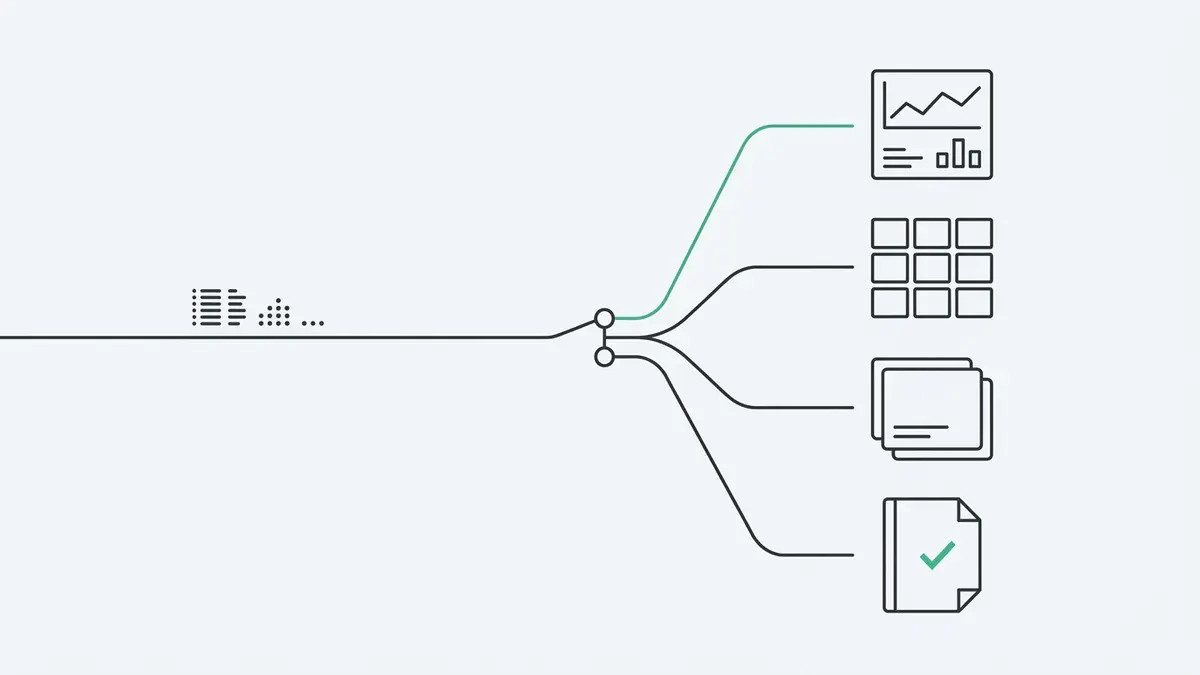
There is no single best Looker Studio alternative for GA4 reporting — the right move depends on the limit you have hit. A decision guide by constraint.

If you want answers, dashboards, reports, and alerts without dragging nodes across a workflow canvas, Anomaly AI is built for that.



