Quick answer — real-time anomaly monitoring
You may not need real-time anomaly monitoring when the decision does not change minute by minute. Use real-time monitoring for uptime, fraud, payments, security, production pipelines, and critical live operations. For GA4 shifts, messy CSV or Excel investigations, client reporting, board prep, and recurring business reviews, scheduled review plus source-backed analysis is often the better fit.
When a key metric spikes or drops, the immediate reaction in many organizations is to demand instant visibility. Teams often assume that setting up always-on, real-time anomaly monitoring is the gold standard for keeping operations on track.
However, for many business, marketing, operations, finance, and consulting teams, real-time alerts do not solve the core problem. Instead of driving faster, better decisions, they often lead to alert fatigue, false urgency, and wasted engineering hours.
Understanding why you may not need real-time anomaly monitoring can help you design a more practical, sustainable workflow. For many business analytics use cases, a scheduled business reporting cadence combined with deep, source-backed investigation is far more valuable than an instant notification.
Real-Time Monitoring Is for Time-Sensitive Systems
To evaluate your needs objectively, it is important to first recognize where immediate alerts are genuinely necessary. Real-time anomaly monitoring is the correct choice when waiting even a few minutes to take action directly changes the outcome of an event.
These time-sensitive environments typically include:
- Infrastructure uptime and latency: Monitoring server availability, API error rates, and system latency budgets.
- Security and fraud: Identifying immediate payment fraud, unauthorized access attempts, or active security breaches.
- Production data pipelines: Detecting broken ingestion jobs or schema changes that halt downstream applications.
- Critical live operations: Managing real-time inventory levels or logistics control systems where a delay halts physical operations.
In these scenarios, monitoring systems must be designed to alert, investigate, diagnose, visualize, support trend planning, and compare behavior before and after a change, as outlined in the Google SRE Workbook on monitoring systems.
Furthermore, as detailed in NIST Special Publication 800-137, security continuous monitoring is vital for maintaining ongoing awareness of information security, vulnerabilities, threats, and risk decisions.
To make these real-time alerts actionable, organizations must carefully balance precision, recall, detection time, and reset time to ensure that responders can take immediate, meaningful action on significant events, as discussed in the Google SRE Workbook on alerting on SLOs. If an alert does not require immediate human intervention or an automated script to run within minutes, it does not belong in a real-time monitoring system.
Why Many Business Analytics Anomalies Do Not Need Live Alerts
For business, marketing, and financial analytics, the pressure to respond in "real time" is often artificial. Most business anomalies do not require instant intervention, and attempting to monitor them in real time can actually degrade decision quality.
1. Data Freshness Windows and Processing Delays
Many business systems do not process data instantaneously. For example, according to Google Analytics Help on GA4 data freshness, GA4 report data can change while processing completes, and data processing can take 24 to 48 hours.
Setting up real-time anomaly monitoring on a source like GA4 can be counterproductive. You risk triggering alerts on incomplete data, forcing your team to investigate "anomalies" that are simply the result of standard processing delays.
2. Natural Business Cadences
Most business decisions operate on a structured, recurring cycle. Weekly client reporting, monthly board decks, quarterly finance reviews, and campaign retrospectives do not benefit from minute-by-minute updates.
These workflows require a clean, consolidated view of the data at a specific point in time. Running a 15-minute pre-meeting data audit on a large CSV before a weekly review is far more practical than triage alerts firing throughout the week.
3. The Risk of False Urgency
Live alerts create a sense of crisis before the full context is available. A temporary dip in hourly conversion rates might look like an anomaly, but by the end of the day, it may normalize into standard weekly variance. Real-time alerts force teams to react to noise rather than signal, pulling valuable resources away from strategic work to chase temporary data fluctuations.
Real-Time Monitoring vs Scheduled Review: Decision Matrix
Use this matrix to determine whether your specific scenario requires real-time anomaly monitoring or if a scheduled business reporting and investigation workflow is a better fit.
| Situation |
Real-time monitoring fit |
Scheduled review fit |
Anomaly workspace fit |
What to watch for |
| Site uptime or API error rate |
High |
Low |
Low |
Requires immediate automated paging and on-call rotation. |
| Fraud, payment, or security event |
High |
Low |
Low |
Must align with active risk mitigation and security protocols. |
| Production data pipeline health |
High |
Medium |
Low |
Broken pipelines halt downstream reporting; needs fast resolution. |
| GA4 traffic drop |
Low |
High |
High |
Data takes 24-48 hours to settle; live alerts can flag incomplete data. |
| Weekly client reporting |
Low |
High |
High |
Requires polished, stakeholder-ready outputs and narrative summaries. |
| Board-prep KPI movement |
Low |
High |
High |
Needs traceable, source-backed calculations and transparent metric definitions. |
| Messy CSV/Excel investigation |
Low |
High |
High |
Requires deep-dive analysis of static files up to 1GB. |
| One-off executive question |
Low |
High |
High |
Demands fast, verifiable answers, not continuous monitoring. |
The Hidden Cost of Always-On Alerts
Implementing always-on anomaly monitoring is not a passive analytics choice. It is a significant operational commitment. Every real-time alert you configure requires:
- An assigned owner to triage the alert.
- A documented runbook detailing the exact steps to take when the alert fires.
- A defined severity level and clear threshold definitions.
- An escalation path and a feedback loop to tune the alert over time.
When these operational structures are missing, organizations quickly suffer from alert fatigue. Responders receive a constant stream of noisy, low-priority notifications, leading them to ignore warnings or miss genuine issues.
Furthermore, for low-volume or delayed business data, statistical thresholds can be incredibly jumpy. A minor, expected delay in a partner data upload can trigger a false anomaly alert, creating unnecessary panic and wasting analytical resources on routine data latency.
Use Scheduled Review When the Decision Has a Natural Cadence
To build a sustainable data culture, match your review speed to your decision speed. If your team meets weekly to adjust marketing spend, review product performance, or update client dashboards, your data analysis should align with that cadence.
A scheduled review workflow allows your team to look at complete, processed data with the context of a full business cycle. For example, instead of reacting to daily traffic blips, you can systematically investigate why web traffic dropped last week in GA4 using finalized data.
Checklist for a Scheduled Review Workflow
Before presenting data to stakeholders during a scheduled review, verify the following:
- Source freshness: Has the data fully processed? For GA4, has the 24-48 hour processing window passed?
- Metric definition: Are you using agreed-upon business rules and calculations?
- Row count and completeness: Did all expected records import successfully?
- Source mix: Are all required channels and platforms represented?
- Segment cuts: Have you isolated key dimensions, such as device, region, or campaign, to rule out localized anomalies?
- Assigned owner: Who is responsible for presenting the findings and documenting next steps?
- Action plan: What specific business decisions will be influenced by these findings?
By establishing a repeatable cadence, you can automate weekly client reporting with scheduled PDFs rather than managing a chaotic stream of real-time notifications.
How Anomaly Fits: Investigation and Outputs, Not Live Monitoring
If you conclude that you do not need real-time anomaly monitoring, you still need a powerful environment to audit, investigate, and report on your data. This is where Anomaly fits.
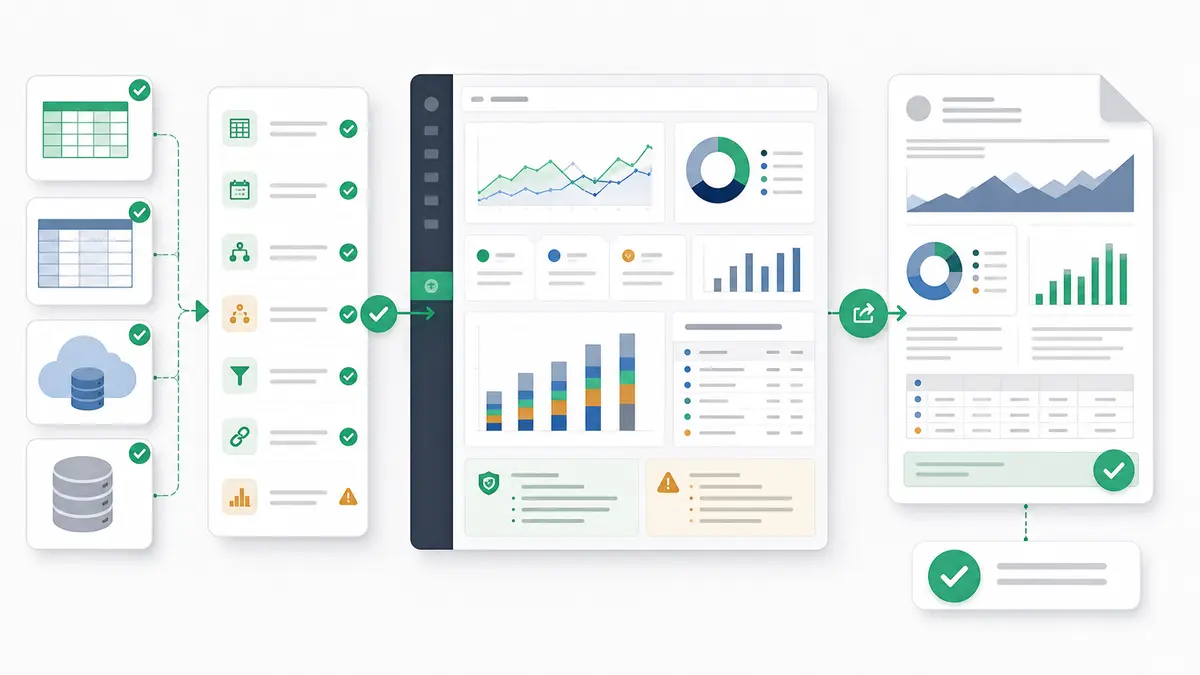
Anomaly AI is an AI data analysis workspace designed for deep, structured investigations and repeatable business reporting. It is built for teams who need to understand why metrics changed and present those insights clearly to stakeholders.
What You Can Do in Anomaly
- Connect and upload your data: Directly upload Excel and CSV files (
.xlsx, .xls, and .csv) up to 1GB, or connect supported workflows including GA4, BigQuery, Google Sheets, MySQL, and Snowflake where available. Explore the supported data sources.
- Perform traceable analysis: Build verifiable outputs with source-backed calculations and assumptions your team can inspect. You can run a GA4 anomaly investigation without Python or perform deep-dive audits.
- Generate stakeholder-ready outputs: Turn your investigations into interactive dashboards, Excel reports/exports, Excel-native dashboard exports, PowerPoint slides, Word docs, and PDF reports.
- Write source-backed summaries: Draft executive summaries with source-backed logic to explain data shifts to leadership.
- Automate scheduled reporting: Where your workflow and data source support it, set up scheduled email delivery with a rendered PDF attachment and a narrative summary.
Explicit Product Anti-Claims
To ensure Anomaly is the right fit for your workflow, note the explicit anti-claims:
- Anomaly is not an automatic anomaly-detection product.
- Anomaly is not a real-time/live monitoring system.
- Anomaly is not an alert-threshold tool.
- Anomaly does not send Slack, webhook, or SMS alerts.
- Anomaly is not SOC 2-complete.
- Anomaly is not a guaranteed root-cause engine.
- Anomaly does not upload Parquet files.
- Anomaly is not a live OneDrive or SharePoint sync layer.
- Anomaly is not an automatic refresh engine for uploaded files.
A Practical Escalation Checklist
If you are still deciding whether to build a real-time alert or establish a scheduled investigation workflow, run through these diagnostic questions:
- Is action required within minutes? If yes, you need real-time monitoring. If no, a scheduled review is better.
- Is the underlying data source fresh enough? If the source takes hours or days to finalize, real-time alerting can mislead.
- Is there a clear responder and a documented runbook? If you do not have an operational path to handle an alert immediately, do not build it.
- What is the business harm of a false positive? If false alarms cause team friction or alert fatigue, default to scheduled reviews.
- Is the threshold tied directly to business impact, SLOs, risk, or loss? Alerts should only fire when a critical threshold is breached.
- Is a daily or weekly review enough to capture and correct the issue? For most marketing, sales, and financial metrics, a weekly cadence is more than sufficient.
- Is investigation and explanation more important than paging? If you need to explain why something happened rather than just knowing that it happened, you need an investigation workspace, not an alert.
- Is an actual stakeholder-ready output needed? If you must present the data to clients or executives, prioritize tools that generate clean reports and presentations over raw alert logs.
FAQs About Real-Time Anomaly Monitoring
Do I need real-time anomaly monitoring for GA4?
Usually, no. Because GA4 report data can take 24 to 48 hours to process and may change while processing completes, real-time monitoring can flag incomplete data. A scheduled review is often a better fit for web analytics because it gives the data time to settle before the team draws conclusions.
Is Anomaly AI an anomaly detection tool?
No. Anomaly is an AI data analysis workspace. It does not automatically detect anomalies, monitor live systems, or track alert thresholds. It is designed to help you upload, connect, audit, and investigate business data to produce traceable, stakeholder-ready reports.
When is real-time monitoring worth it?
Real-time monitoring is essential for critical live operations, system uptime, API latency, payment processing, and security monitoring. These use cases require immediate, automated intervention to prevent system downtime, security risk, or financial loss.
What should I use for a weekly business review?
For weekly business reviews, use a scheduled review workflow. Verify data freshness, run structured audits on your data sources, and generate clear, source-backed reports such as PDFs, dashboards, or PowerPoint decks that explain performance trends and variances.
Can Anomaly send Slack or webhook alerts?
No. Anomaly does not support Slack, webhook, or SMS alerts. For scheduled workflows, Anomaly supports email delivery with a rendered PDF attachment and a narrative summary where the data source and workflow support it.
Get Started with Source-Backed Analysis
Stop chasing noisy, real-time alerts that disrupt your team's focus. Build a reliable, repeatable analytics workflow with deep, traceable investigations and polished stakeholder outputs.
Get started with Anomaly to run source-backed analyses, audit your business data, and automate scheduled reporting workflows.